A phone that works perfectly at home can become surprisingly awkward once you land in another country. The local SIM needs activation, your banking app asks for verification, maps have to work immediately and transport apps may be completely new. On a Huawei phone, it helps to prepare the app setup before the trip rather than trying to fix everything at the airport.
Build a travel app list first
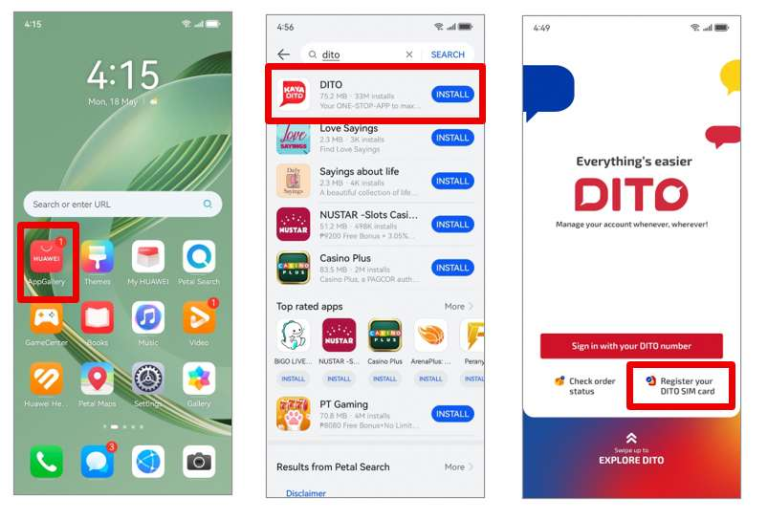
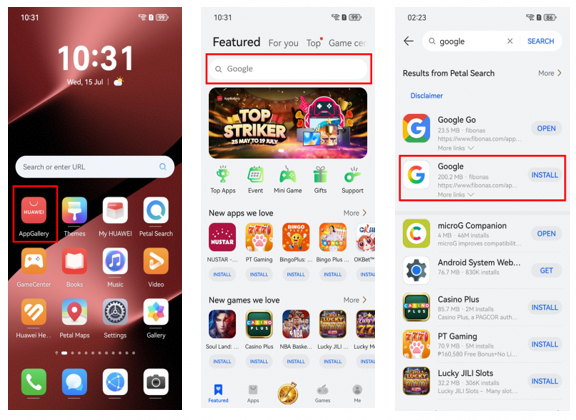
Start with the basics: maps, airline or rail apps, hotel bookings, ride-hailing, messaging, banking and translation. Search AppGallery for each service. Huawei also points users to Petal Search when they need to find apps that are not directly available in the store.
Thinking of google installer for huawei as part of a wider travel setup makes more sense than focusing only on Google apps. In many countries, the most important services are local apps that have nothing to do with Google.
Choose the simplest working version
If a service has an official AppGallery listing, use it. If Petal Search points to a verified web version, that may be enough for occasional use. Quick Apps can also be useful when you do not want to install a full package.
For Google services, decide what you really need. You may want Maps every day but only open Drive once during the trip. In that case, a browser version can be a perfectly reasonable fallback for the less frequent service.
Check the phone with the SIM you will use
Before leaving home, test the apps on Wi-Fi and mobile data. After inserting a local SIM, confirm that verification codes still reach the correct number and that banking or payment apps do not require another security step.
Download offline maps, booking confirmations and key documents in advance. Public Wi-Fi can be unreliable and often requires a browser sign-in page before other apps get internet access.
Fix small issues before changing the whole setup
If an app stops working, do not immediately install a second copy from another source. First check the network, permissions, battery restrictions and available updates. A simple browser test can also tell you whether the problem is the app or the connection.
The google installer for huawei page can help when the issue is specifically about Google access on Huawei. For travel, though, the best phone setup is the one that gives you reliable access to essential services with the fewest moving parts.